Short answer
The best practices for chatbots on a small-business site come down to ten rules: a delayed button, a greeting of two short messages, one question at a time, a choice between phone and email, and a thank-you that names a time. Write the script, then read real chats and cut the line visitors skip.
Example of the whole idea: “Hi! Need a repair quote? Which phone model is it?” is one greeting and one question, and a visitor can answer it in four words.
Key takeaways
- Greet in two messages of about 10 words each, ask one question, then ask for one contact.
- Let the visitor pick phone or email, and promise only a reply time you can keep.
- Test on a phone first, then read the first real chats and cut what visitors ignore.
The ten rules: when the bot appears, what it asks, how it ends
Rules 1 to 3 cover timing and tone: they decide whether the visitor sees a helpful neighbour or a pop-up they close at once. Rules 4 to 6 cover the question and the contact, and rules 7 to 10 cover phones, patience, one contact and testing. Open a rule for the reason behind it.
Show the button after a delay, not at once
Let the visitor look at the page first. In askbox you set the delay in seconds in the panel, and display rules let you give different pages different delays (the rule matches the page address).
Example numbers, not measurements: 8 seconds on a price page, where people are already deciding, and 25 seconds on a blog post.
Greet in two short messages
The first message says who you are or what you do. The second asks something. Keep each one to about 10 words.
Add a typing pause of about a second
A pause between messages makes the greeting read like a person typing. Each greeting message in askbox has its own typing pause.
Example: 1 second after the first message, 1.5 seconds before the question. A long wait can feel like a broken page, and no pause at all can feel like a form.
Ask one open question at a time
Each extra question gives a visitor a reason to leave, so ask what the visitor needs first and nothing else.
A menu of categories forces the visitor to guess which one is theirs; an open prompt lets them write in their own words, and in askbox you set a minimum length so one-letter answers do not count.
Let the visitor choose phone or email
Some people hate phone calls, others never read email. Ask where to send the answer and offer both.
The askbox chatbot shows two buttons, By phone and By email, and takes the contact in the same window. Name and city are optional fields you switch on only if you will use them.
Write a thank-you that names a time
The thank-you is the last thing the visitor reads, so it should say what happens next and when. Promise only what you can keep: if nobody works on Sunday, say Monday.
Write a separate, shorter text for phones
On a phone the chat covers a large part of the screen. In askbox the mobile version has its own delay, design and texts, and the widget opens as a bottom sheet with two choices: ask a question or request a call.
Do not chase the visitor
Keep prompts few: the exit-intent popup in askbox shows at most once per page load and never while the chat is open. Keep any second prompt of your own off the same page.
If a visitor closes the chat, the widget offers a callback instead of letting them go.
Ask for one contact, not every contact
Once the visitor has picked phone or email, ask for that one and stop. A request for a phone number, an email and an address adds a step, and the visitor can leave at each one.
Test the script, then read the first chats
Open your own site on a phone and on a laptop, in a private window, and play the visitor yourself. Then wait for the first real enquiries.
- Example routine: after the first 10 leads, read each chat and delete the greeting line that visitors skip.
- Example arithmetic: if 40 visitors open the chat and 4 leave a contact, that is 10 in 100; change one text and compare the next 100 chats, and treat a difference of a few contacts as noise.
Before and after: seven lines rewritten
These pairs come from rules 2, 4, 5, 6, 7 and 9, in that order. The left side is what many scripts say; the right side is the same message cut to the point.
Before
Welcome to our website! We are a family company with a wide range of services and we are happy to help you with anything you need.
After
Hi! We repair phones and tablets. Which model is it?
Before
What is your name, address, phone number and what is the problem?
After
What needs fixing?
Before
Choose a topic: 1. Prices 2. Delivery 3. Returns 4. Other.
After
Tell us your question in one line.
Before
Please leave your contact details.
After
Where shall we send the answer? By phone or by email?
Before
Thank you for your request.
After
Thanks! We will call you on the number you left before 12:00 tomorrow.
Before
Hello and welcome! Please tell us in as much detail as possible how we can help you today.
After
Hi! What do you need?
Before
Please enter your phone, your email and your address.
After
Which number should we call?
What the best chatbot designs have in common
Good chatbot designs are plain: short lines, a button you can hit with a thumb and text you can read in sunlight. Three checks cover it.
- Readability
- One thought per message, no more than two lines on a phone. Break a long sentence into two messages with a typing pause between them.
- Contrast
- The W3C accessibility guidelines ask for a contrast ratio of at least 4.5:1 for normal text and 3:1 for large text (WCAG 2.2, criterion 1.4.3, checked on 19 November 2026). Test your own text and button colours with any contrast checker.
- Button size
- WCAG 2.2 sets a minimum target of 24 by 24 CSS pixels at level AA (criterion 2.5.8, checked on 19 November 2026); criterion 2.5.5 (AAA) asks for 44 by 44. Aim for the larger size on phones.
askbox offers a compact or a standard design and a collapsed or an expanded start, so the choice for a crowded page is between a quiet button and an open window.
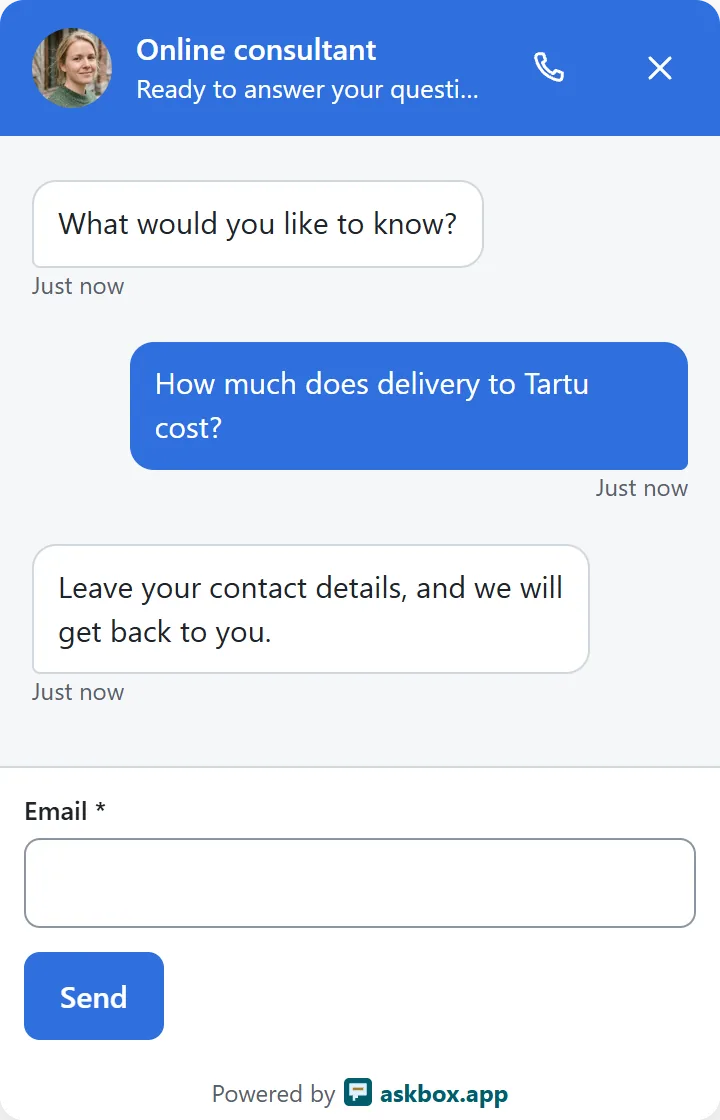
Pick the quiet button if your page already has many elements.
Common mistakes and how to fix them
Five mistakes cost the most contacts, and each has a short fix.
| Mistake | What it costs | Fix |
|---|---|---|
| The button appears at once, on every page | The visitor closes it before reading | Delay it; shorter on price pages, longer on blog posts |
| A greeting of 40 words | Many visitors will not read it on a phone | Two messages, about 10 words each |
| Four questions in a row | Visitors leave before the contact step | One question, then one contact |
| Only a phone field | People who dislike calls leave | Offer phone or email |
| “We will contact you soon” | No reason to wait | Name a time you can keep |
The bot follows your script, so it cannot answer a question you did not write a reply for (the optional AI consultant is off until you switch it on). Do not word the prompt as if the bot will answer at once. Write “Tell us your question and we will reply by phone or email.”
Check the script before you publish
Run through this list once on a phone and once on a laptop, in a private window, before the widget goes live.
- The button waits a few seconds, and price pages wait less than blog posts.
- The greeting is two messages of about 10 words each, with a typing pause between them.
- The script asks one open question first and one contact second.
- The visitor can choose phone or email.
- The thank-you names a time you can keep.
- The mobile text is shorter than the desktop text.
- You plan to read the first 10 chats and cut the line visitors skip.
Ready to write the greeting? See the chatbot widget
Who a scripted chatbot suits
For script ideas by industry, see 8 chatbot script examples for small businesses. Prices of the widget are on the pricing page.
Good fit if you…
- You have a few repeating enquiries and want a phone number or an email, not a long chat.
- You are ready to read the first chats and edit your script.
Skip it if you…
- You want a bot that answers any question by itself. The askbox bot follows your script; the optional AI consultant is off until you switch it on.
- You need leads sent to a CRM, Telegram or a webhook. At launch they go to email and the panel.
Questions about chatbot best practices
How long should a chatbot greeting be?
Two messages of about 10 words each: who you are, then one question. These lengths are a rule of thumb, not a measured figure.
When should the chatbot button appear?
After a delay the visitor does not notice. Start with a few seconds on a price page and longer on a blog post, then adjust after you read real chats.
Should I ask for a name and a phone number?
Ask for the question first and one contact second. Name and city are optional fields in askbox; turn them on only if you will use them.
Does a good chatbot need AI?
No. A script that asks one clear question and a contact gets you an enquiry without it. askbox follows the script you write and does not improvise.
How do I know the script works?
Count how many people who opened the chat left a contact, change one text, and compare the next batch. A lead in askbox is a visitor who left a phone number or an email.
Write your script and see it on your site
Write the greetings, the question and the thank-you in the panel and paste one line of code. The widget is free for your first 10 leads.
Start free trialFree for your first 10 leads · spam caught by the system costs €0 · leads stored in the EU