A chat widget that turns site visitors into leads
One line of code on your site. The widget starts the conversation itself, collects contact details, answers from your own pages and gathers the order details. Every step can be switched on or off in the panel.
Start free trialThe visitor's path
Five steps from the first word to a lead
Pick a step to see what it does, how it looks in the widget and where you set it up.
The chat starts the conversation
The problem it solves
A visitor looks at an empty chat window, has no idea what to ask and leaves.
What the visitor sees
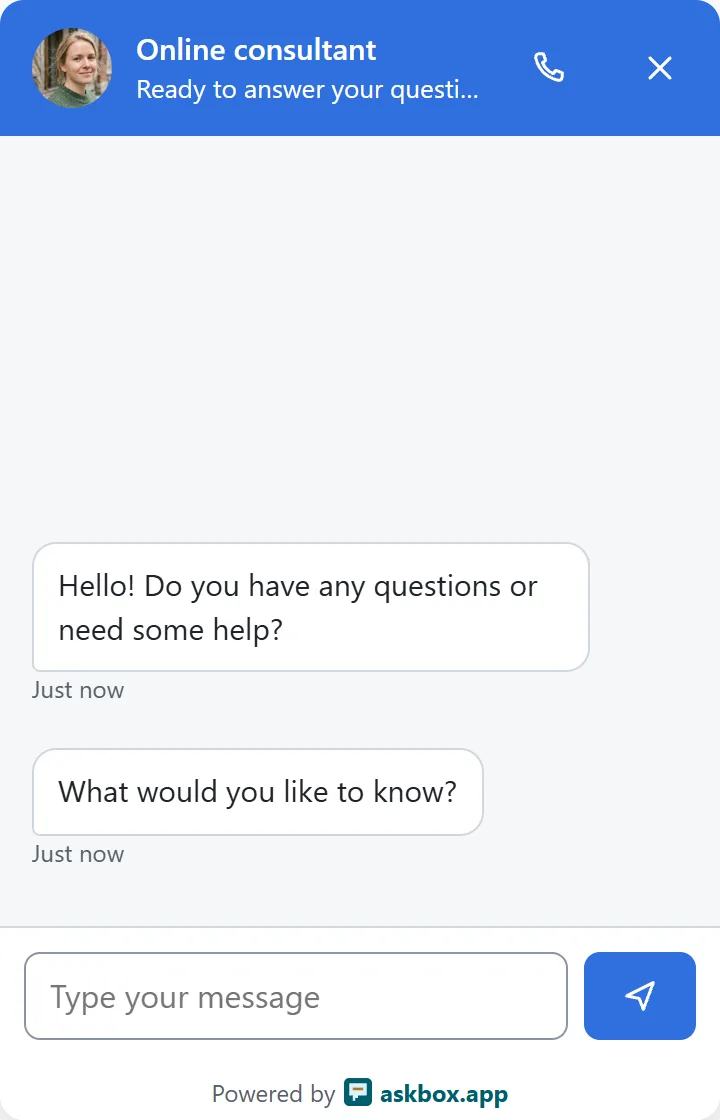
The chat opens on its own and sends a greeting and a question: "Hello! Do you have any questions or need some help?"
Useful settings for this step
- Texts in every languageWrite the greeting and the question separately for each widget language.
- "Always minimised" modeThe widget does not speak first and waits until the visitor opens the chat.
- No auto messages at allDelete the messages and the chat opens empty.
- Window lookShadow, sound and the mobile look are set in the Look section.
Contact first, answer second
The problem it solves
You answered in the chat, the visitor closed the tab and you have no way to reach them.
What the visitor sees
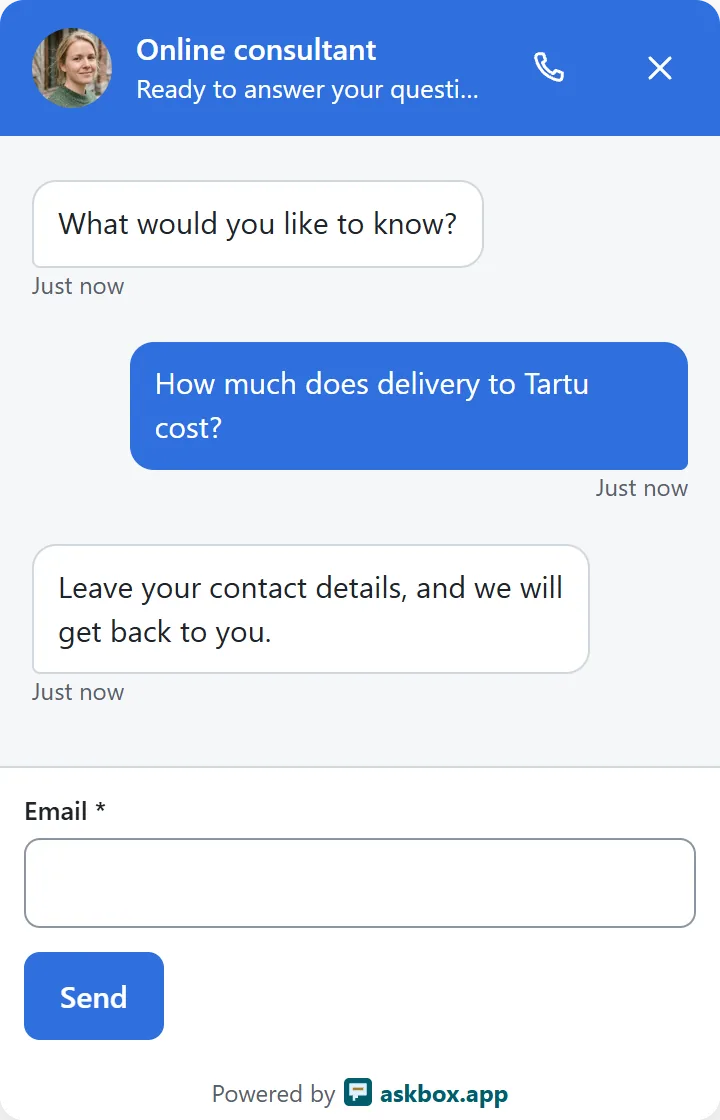
After the first message the widget asks for an e-mail or a phone number and only then answers the question.
Useful settings for this step
- What to ask forE-mail only, phone only, or "phone or e-mail" at the visitor's choice.
- When to show itAfter the visitor's first message, before the answer.
- The "contact details" labelIt keeps the lead form apart from the request form, which holds order details.
- Step statisticsHow many visitors reached the form and left their contact.
Answers from your own website
The problem it solves
Repeated questions and questions outside working hours stay unanswered.
What the visitor sees
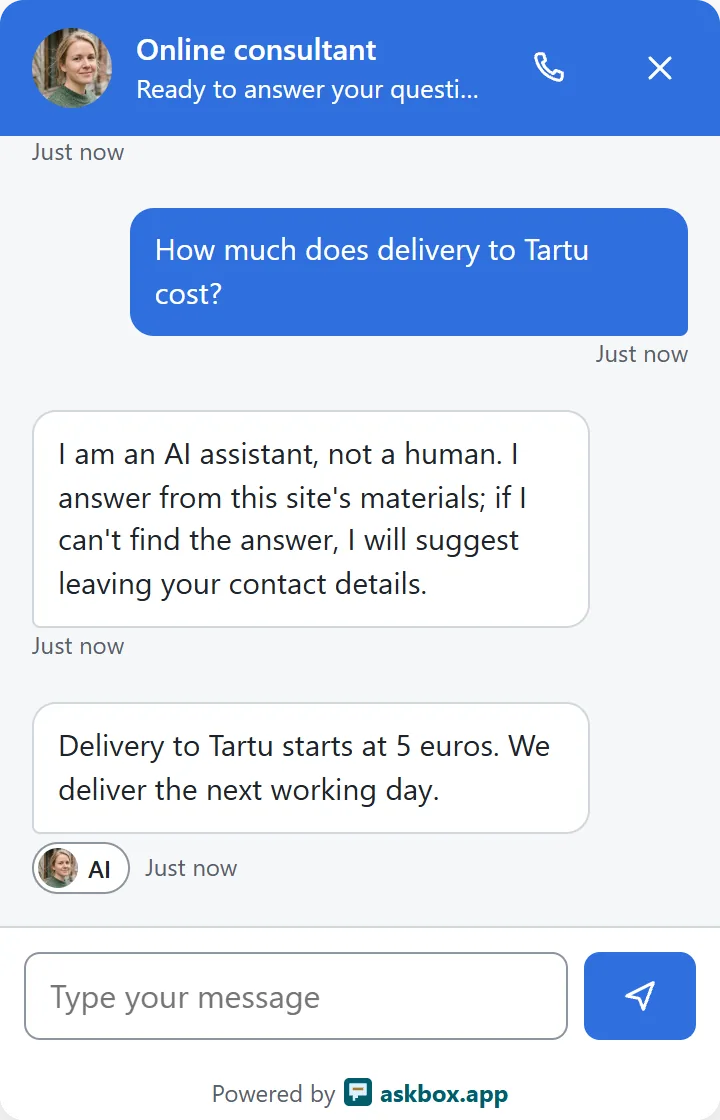
The answer to the first question comes right after the contact details. If the materials have no answer, the AI says so and passes the question to you. Hints show ready questions as buttons.
Useful settings for this step
- Website scanThe AI reads your pages; a new scan refreshes what both the AI and the FAQ know.
- Your own files and textsTXT, MD, DOCX, PDF and links: your materials rank above your web pages.
- HintsReady questions as buttons; they can be suggested from your site, approved and grouped.
- Pause and consentThe AI starts only with your consent and can be paused at any time.
- Unanswered questionsIf there is no answer, the AI says so and passes the question to you: it shows in the enquiry.
Order details in one form
The problem it solves
The visitor is ready to order, but the chat makes it hard to find out the service, the timing and the comments.
What the visitor sees
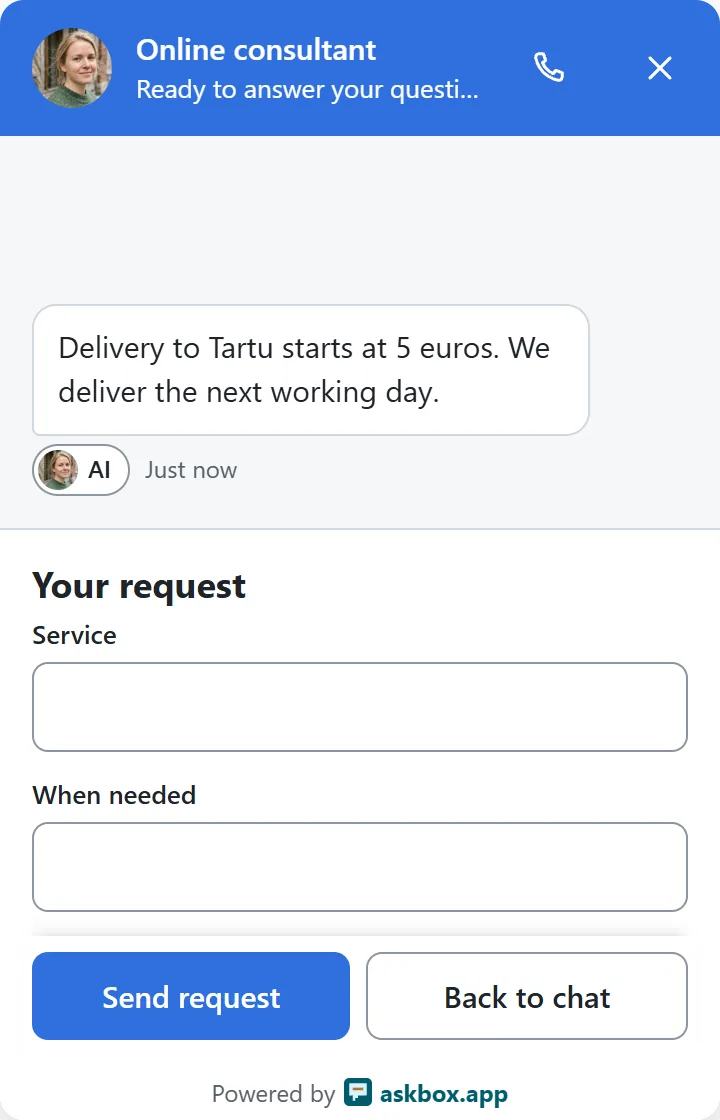
A "Leave a request" button in the widget. When a visitor wants to order, the AI opens the form too.
Useful settings for this step
- Several formsDifferent forms for different services, each with its own fields.
- Automatic translationWrite a form in one language and the AI suggests the others.
- A draft from your siteA form can be drafted from what the site knows and then edited by hand.
- How to show the formA button in the widget, an AI offer, or both.
The lead reaches your inbox and the panel
The problem it solves
Enquiries get lost between the chat, the mailbox and your notes.
What the visitor sees
The visitor gets "Thank you! We have your request and will be in touch soon". You get an e-mail with the conversation and an enquiry card.
Example enquiry data
Contacts (lead form)
- Name
- Maria
- Phone
- +372 5555 1234
- maria@example.com
Order details (request form)
- Service
- Window replacement
- When needed
- First half of December
- Comment
- Two windows, fifth floor, after 5 pm works best
Conversation
How much does it cost to replace two windows in a flat?
The AI consultant's answer from your website
Where it came from
"Windows" page · Google search · Desktop
Useful settings for this step
- Address for e-mailsWhere the e-mail with the conversation and contacts goes.
- When the e-mail goes outWith the AI consultant: after 5 minutes of silence, but no later than 15 minutes after the contact details. Without the AI, with the "right after the lead form" setting, and for a request form, the e-mail arrives at once.
- Enquiries in the panelContacts, form, conversation, the source of the visit, notes and a status for each enquiry.
- Scenario statisticsYou see at which step visitors drop off.
Window styles
A window like the messenger people already use
Visitors do not have to learn anything: the window looks like a chat they know. Pick a look in the Look section and every scenario step adopts it. Switch the option to see the same conversation in each look.
Now showing: Classic. Colours and the consultant’s avatar are set separately.
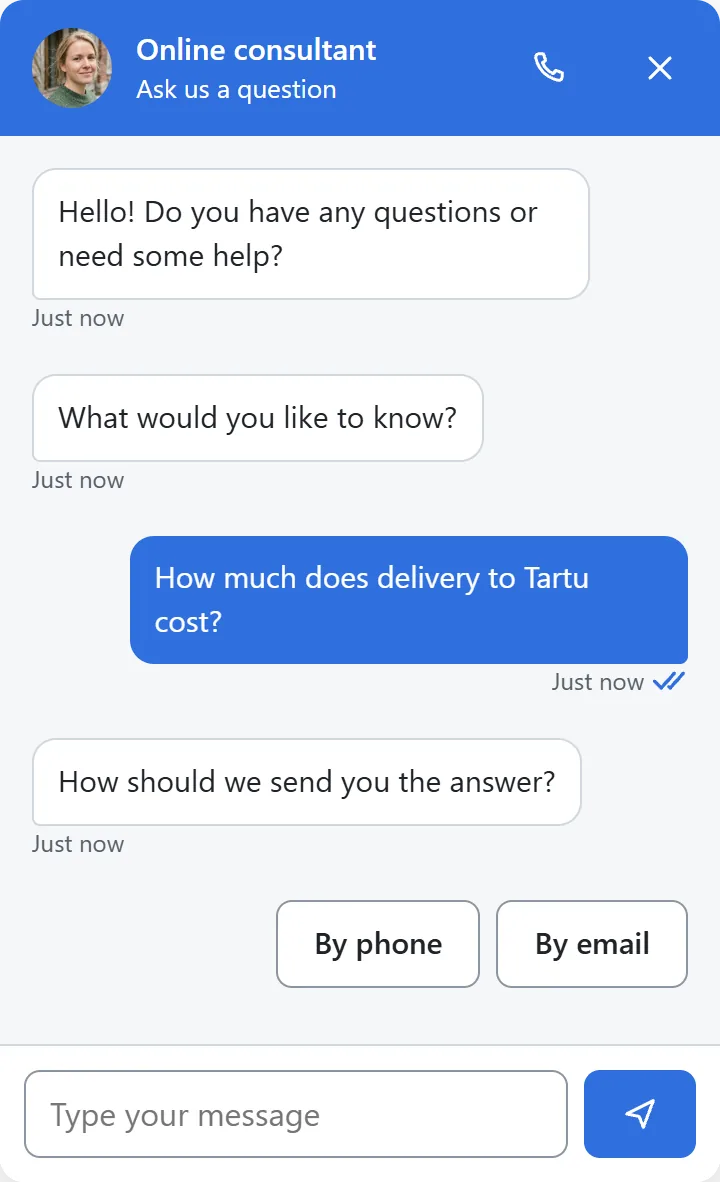
WhatsApp, Messenger, Instagram, Microsoft Teams, Viber, ChatGPT, Gemini and Telegram are trademarks of their owners. askbox is not affiliated with them. The styles follow only the general layout and colours; the widget window contains no logos or names of these services.
On top of the scenario
Extras work independently of the steps
Turn them on one by one: they do not change the scenario and each has its own section in the panel.
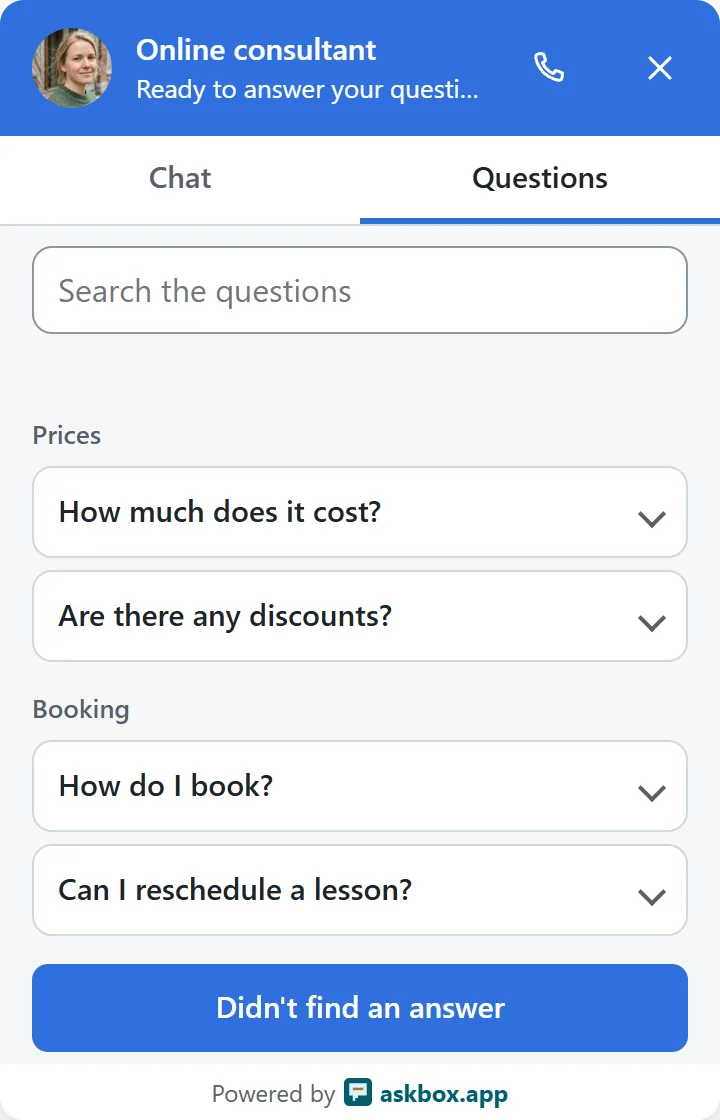
FAQ
A "Questions" tab with approved answers: visitors find an answer without a chat.
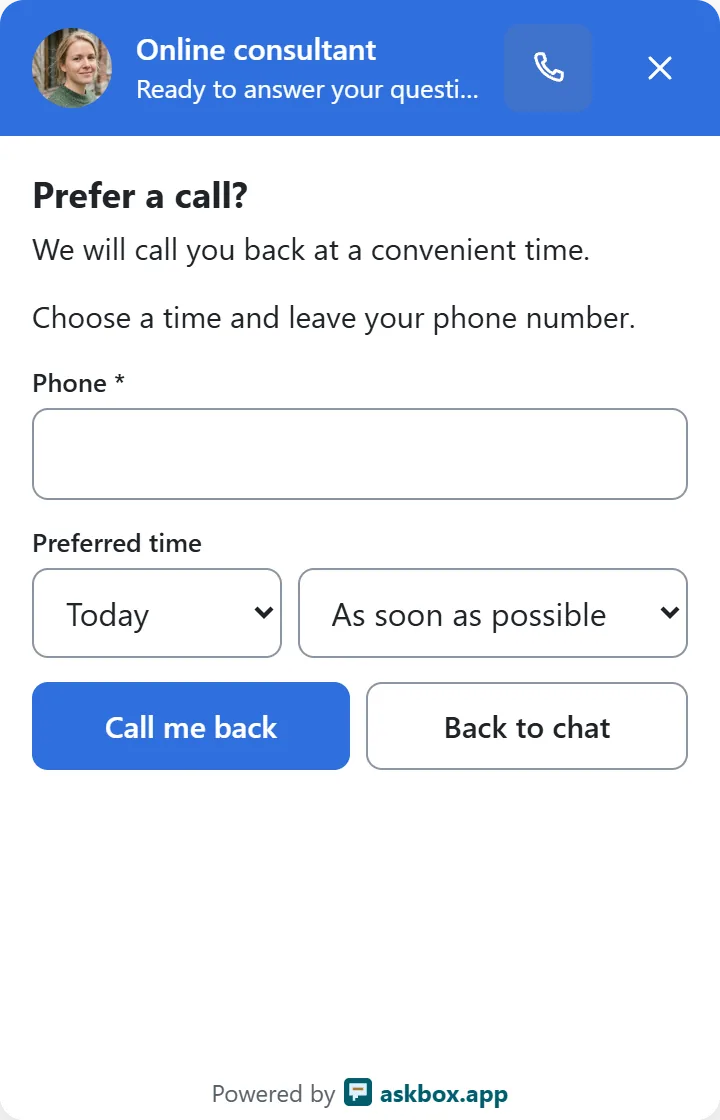
Call offer
An offer to call back when a visitor minimises the chat without leaving contact details.
+5%more leads from the call offer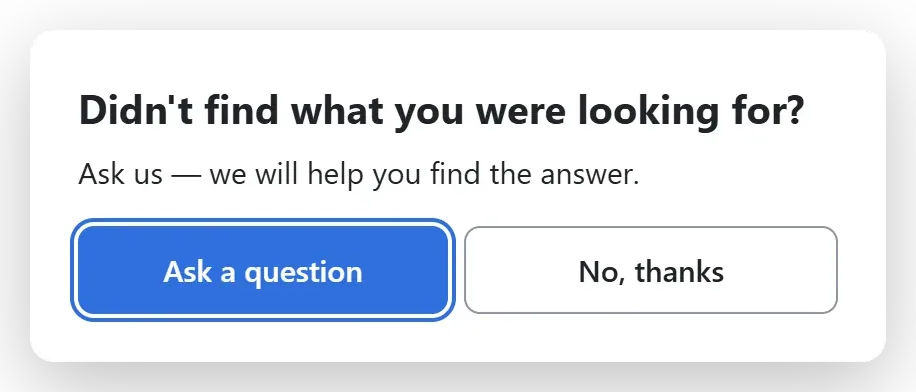
Exit window
A window for when a visitor is about to leave the page.
+3%more leads from the exit window
No time for chatting? You do not have to
The widget asks for two things: the question and one contact, a phone or an email. Name and city are optional fields you turn on yourself.
At 02:00 nobody answers
The bot greets the visitor, takes the question and a contact, and the lead is in your inbox when you start work at 09:00.
Five fields for one question
A five-field contact form feels like hard work for a single question. The widget asks for one phone number or email.
A visitor is about to leave
The exit window asks your question with 2 buttons, and closing the chat brings up a callback form where the visitor picks an hour.
What will you pay each month?
If the AI consultant is on
AI answers are paid for separately, in advance
The AI is optional: without it the scenario and the leads work as usual.
- Prepaid. No bill at the end of the month and no debt: when the credit runs out the AI goes quiet and everything else keeps working.
- Spending under control. A per-visitor limit on questions per hour and a daily ceiling on answers per project.
- Pack validity. One answer uses one credit. A pack is valid for 12 months.
50 answers free, once per account
- Pack S5 €1,000 answers0.005 € per answer
- Pack M19 €5,000 answers0.0038 € per answer
- Pack L59 €20,000 answers0.003 € per answer
Prices exclude VAT. The bigger the pack, the cheaper each answer.
Why small businesses choose askbox
Pay for leads, not seats
€9.50 a month plus a fee for each lead and nothing else.
Bots cost nothing
Bots and repeated submissions are filtered before a lead is created and cost €0. A lead you delete or mark as spam yourself is still billed.
Leads in the EU, no cookies until a visitor acts
Leads stay in an EU database and no cookie is set until a visitor acts.
Light, with isolated styles
About 25.1 KB gzip, drawn inside a Shadow DOM: it does not restyle your page.
- ~25.1 KBwidget script, gzip
- 21interface languages
- 0cookies before the first action
- 10leads free, no card
What is in the widget and the panel
Everything below is configured per project in the panel at app.askbox.app.
Bot that follows your script
Automatic messages with typing pauses, the question, contact details by phone or email, optional name and city fields, and a line that encourages the visitor to leave their contact details.
Callback request
Today or tomorrow, a specific hour or “as soon as possible”.
Exit window
Your title, text and two buttons when the visitor is about to leave.
Mobile version
Compact or standard design, collapsed or expanded, its own delay and texts.
Live chat
An operator answers from the panel at app.askbox.app and sees the visitor’s page, referrer, city, device and local time. If nobody answers, the bot collects the contact.
Profiles and display rules
Different widget settings for different pages. A rule matches the URL by “contains”, “starts with”, “equals” or a regular expression.
21 interface languages
English, Estonian, Latvian, Lithuanian, Finnish, Polish, German, Spanish, Italian, Czech, Slovak, Hungarian, Romanian, Bulgarian, Greek, Ukrainian, Russian, Belarusian, Armenian, Kazakh and Chinese.
Analytics events
Events named
askbox_*(message typed, lead sent, callback lead and others) go to GA4, Yandex Metrica and the GTM dataLayer if those analytics tags are on the page. The widget does not load any analytics scripts itself.Email notifications
Any number of recipients; you choose whether the email shows the phone, email, page address and UTM tags.
Leads
Colour-coded statuses, notes and filters by project, status, device and period. A deleted lead goes to the trash and can then be erased for good to answer a GDPR request.
Team access
Invite a colleague to a project by email and assign them a role.
See also: ChatbotCallback widgetExit-intent popupWordPress install
Install
One line of code. That is all.
Paste it before </body> on any site where you can add HTML: Shopify, Wix, Webflow or a hand-coded site.
Add the line with a header-and-footer plugin, or in a Custom HTML block on a single page. There is no askbox plugin to update.
About 25.1 KB · loads asynchronously · no cookie before the first action
Price · + 24% VAT
Plus €0.99 down to €0.20 per lead: the more leads you get in a month, the cheaper each one is. Spam caught by the system costs €0.
Who it suits and who it does not
Suits
- Owners with no time to chat: the bot collects the contact, you reply later.
- Service businesses and shops where people ask before they buy: repairs, clinics, delivery, rentals.
- Agencies that look after client sites: every site is a separate project in one account.
- Sites in the EU that want a chat widget without cookies before the visitor acts.
Does not suit
- You want an AI that runs whole conversations or takes actions on its own. The bot follows your script; the optional AI consultant only answers from your own site and your own answers.
- You need leads in a CRM, Telegram or a webhook. At launch, leads go only to email and the panel.
- You need a phone service that dials you and the visitor and connects the call. askbox has a callback request form, not telephony.
You pay for leads, not for seats or chats
| Per seat | Per conversation | Per lead (askbox) | |
|---|---|---|---|
| What you pay for | Each person who answers | Each chat that starts | Each real lead; spam caught by the system is €0 |
| When you pay more | You add a colleague | Visitors chat but leave no contact | The widget brings more leads, and each lead gets cheaper |
| If there are no leads | Full price | You still pay for the chats | Only the €9.50 monthly fee |
Questions before you install
I have no time to chat with visitors. Is askbox for me?
Yes. The bot runs the conversation itself: it greets the visitor, takes the question and one contact, and sends them to your email and the panel. You reply later by phone or email. A live chat from the panel is optional, and if nobody answers there, the bot carries on. You still reply to each lead yourself.
Do I need a cookie banner because of the widget?
The widget sets no cookies before the visitor clicks or types. Before that it keeps only the time of the first visit and the traffic-source category in sessionStorage, with no visitor identifier. After the first action it keeps the conversation there too. The browser clears sessionStorage when the tab closes. Whether your site needs a banner under Article 5(3) of the ePrivacy Directive depends on your other scripts; we do not give legal advice.
Where are the leads stored?
In a Cloudflare D1 database set to EU jurisdiction. Email notifications go out through Brevo, a French company. The visitor’s IP address is not saved with the lead, only its hash for spam protection.
Which website builders does it work with?
Any site where you can add HTML before </body>: WordPress, Shopify, Wix, Webflow or a hand-coded site. On WordPress, the theme's footer code field or a header-and-footer plugin is enough.
Do I pay for spam?
Not for spam that the system catches: bots and repeated submissions of the same form are filtered before a lead is created and cost €0. Every other lead that reaches you is billed, including ones you later delete or mark as spam yourself. Otherwise a lead could be read and deleted to avoid paying. The billing page shows how the monthly lead total was made up: in the list, in the trash (kept for 90 days) and deleted for good.
Can a lead be deleted completely?
Yes. A deleted lead first goes to the trash, and from there it can be erased permanently. Use this when a visitor asks you to delete their data under Article 17 of the GDPR.
Turn visitors into leads, starting today
Start free trial Free for your first 10 leads · spam caught by the system costs €0 · leads stored in the EU